Payroll & Uniforms
How to Contact the Payroll Team
Payroll Hotline Phone Numbers
To contact one of the team members below, first call (212) 609-4442. Then enter the extension shown next to the person’s name:
| Payroll Hotline Team Members | Extension |
|---|---|
| Fahizat Tamimu | 7579 |
| Lisette Ramos | 0928 |
| Lissette Mendoza | 1016 |
| Marcia Williams | 7578 |
If the Payroll Hotline team member is not available or is not listed in the table, dial 2 for your call to be directed to the Payroll Coordinator unit.

How to Register to Get Your Paystubs Online
To register your new account, please click here. Or you can follow these 4 easy steps below.
Step 1: Download the app -or- access the site on your web browser.
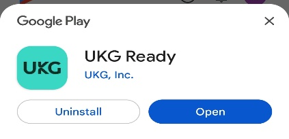
To download the app to your mobile phone, download UKG Ready / HCMTOGO from the Apple App Store or Google Play Store.
-or-
To access the new website from your web browser, go to https://secure.entertimeonline.com/ta/PPCN183.login.
Step 2: Log In Information.
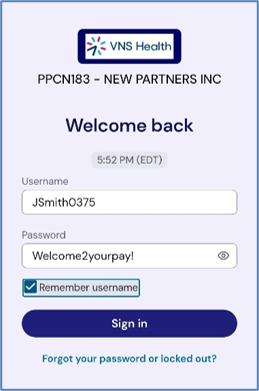
You will need to enter the following information.
- Region: select North America (excel Canada)
- Company Short Name: enter PPCN183
- Click Continue
- Enter Your Username: Your Username is:
First Initial + Last Name + Birth Month/Year (MMYY)- For Example: JSmith0375
- Enter the Temporary Password: Welcome2yourpay!
- Check the Remember username box
Step 3: Create a New Password
Use at least 10 characters and include a mix of uppercase letters, lowercase letters, numbers, and symbols.
- Example: Ilove-oreocookies2
Step 4: Verify Your Identity
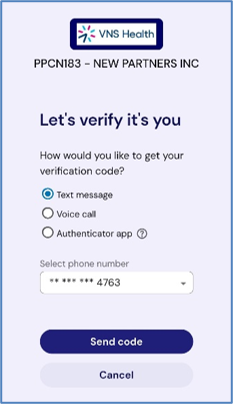
Select email or text message to receive a validation code and enter the code.
You have 15 days to log in and activate your account.
That’s it! Once you have activated your account, you’re ready to begin using it! To view your pay statements, select the following from the home screen:
- My Pay —> Pay History —> Pay Statements
If you have any questions or need help, please call 212-609-4442, and select option 2.

How to Get a New VNS Health Uniform
Need a new VNS Health uniform? This is how you get one.
If you need a new VNS Health uniform, you should first contact the Payroll department to confirm that you are eligible to receive a new one. Once this is confirmed, you must visit the 5 Penn Plaza office in Manhattan to pick it up.
Note: You must visit the office to receive a uniform. Uniforms cannot be mailed.
If you are coming to the 5 Penn Plaza office to pick up a uniform:
- First go to the Payroll department located on the 12th floor to receive a uniform voucher.
- You should then bring your voucher to the Facilities team located on the 20th floor. The Facilities team will give you your new uniform. (Please remember to bring your VNS Health ID card with you or you will not be able to receive a uniform!)

Mortgage Forms and Employment Verifications That Include Earnings Information (Payroll Department)
(HR handles forms or letters requiring dates of employment and title ONLY!)
You can submit your documents or requests in any one of the following ways:
- Email: [email protected]
- Fax: 212-290-3084